7. Entering Data: Assigning and Closing Case Managers
Assigning a Case Manager
Reminder: Client/Household intake must be entered into the HMIS project before assigning a case manager.
- Click on the Case Managers tab

- Click the Add Case Manager button
- If a household exists, select all family members which will be assigned to a case manager
- Set Type to Me - this auto fills your contact information
- Click the Add Case Manager
*Clients can be assigned to more than one case manager at a time.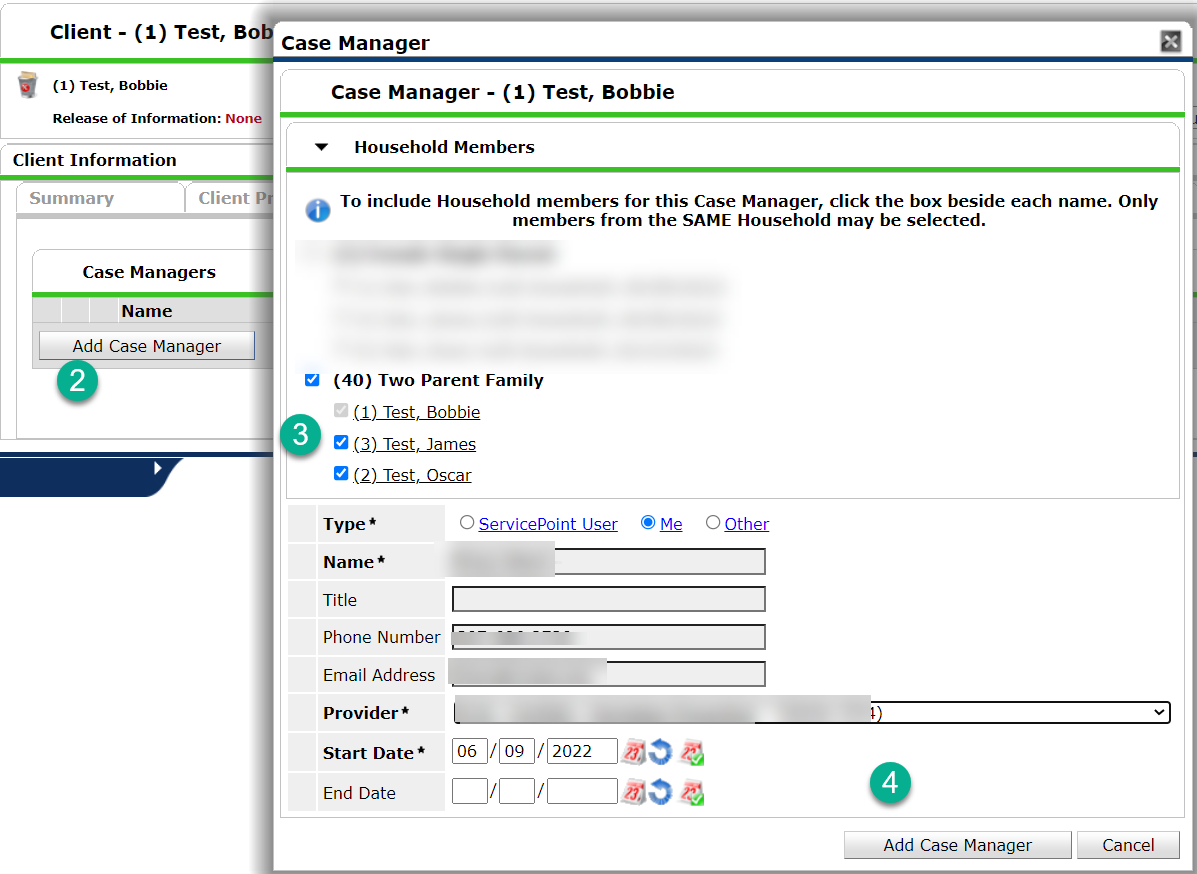

Closing Case Managers
Reminder: Case Managers should be closed when the relationship has ended. This could be when the client has been exited from the project and/or when the client is no longer contacting the Case Manager
- Click on the Case Managers tab
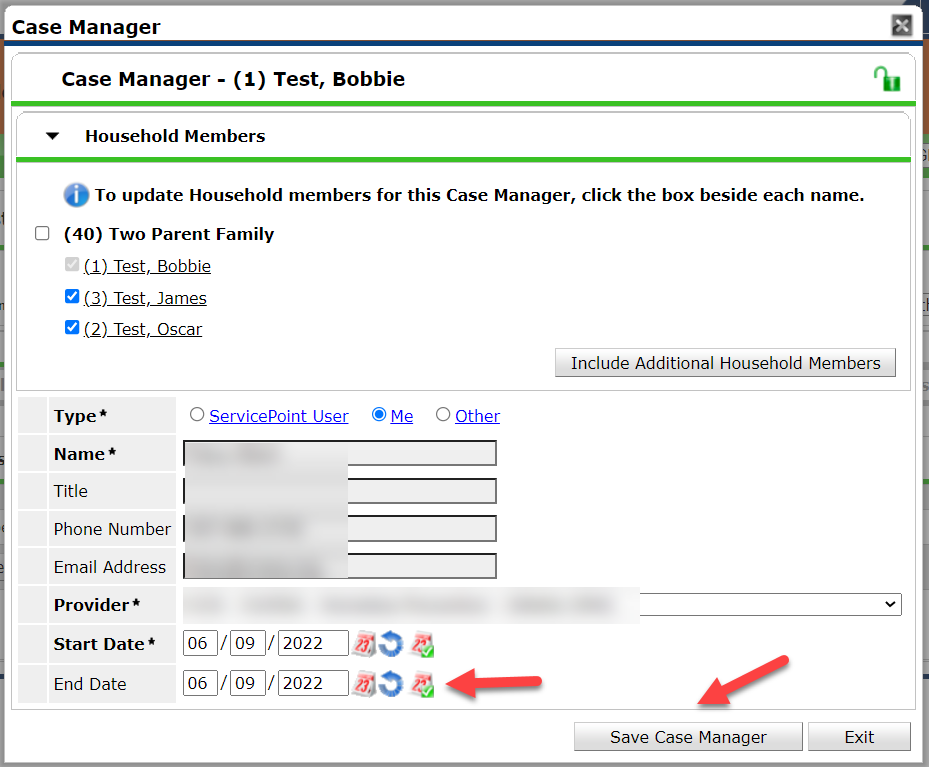
- Click on the pencil in front of the Case Manager's name to be closed

- Type in the End Date
- Click the Save Case Manager