14. Entering Data: Recording General Case Notes
Reminder: Case Notes within Goals are not shared with other agencies.
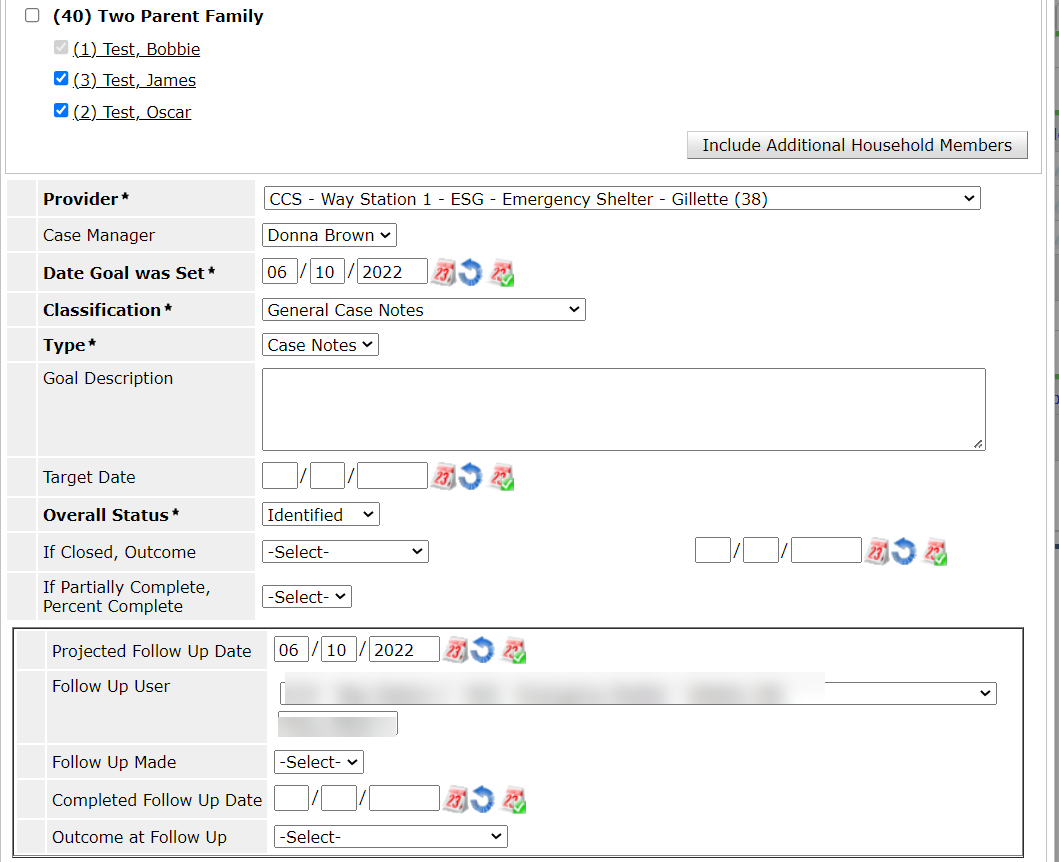
- Provider will show the project chosen as Enter Data As or select a project from the dropdown.
- Select Case Manager
- Type in the Date Goal was Set
- Set Classification to General Case Notes by clicking the drop-down menu
- Set Type to Case Notes by clicking the drop-down menu
- Set Overall Status to Identified
- For a follow up reminder to show on the Home Page Dashboard
- Projected Follow Up Date
- Follow Up User - will default to you
- Click the Add Goal button
- Click the Add Case Note button
- Check all household members to include in the case notes
- Select Case Manager
- Type in the case note
- Click the Save Case Note button
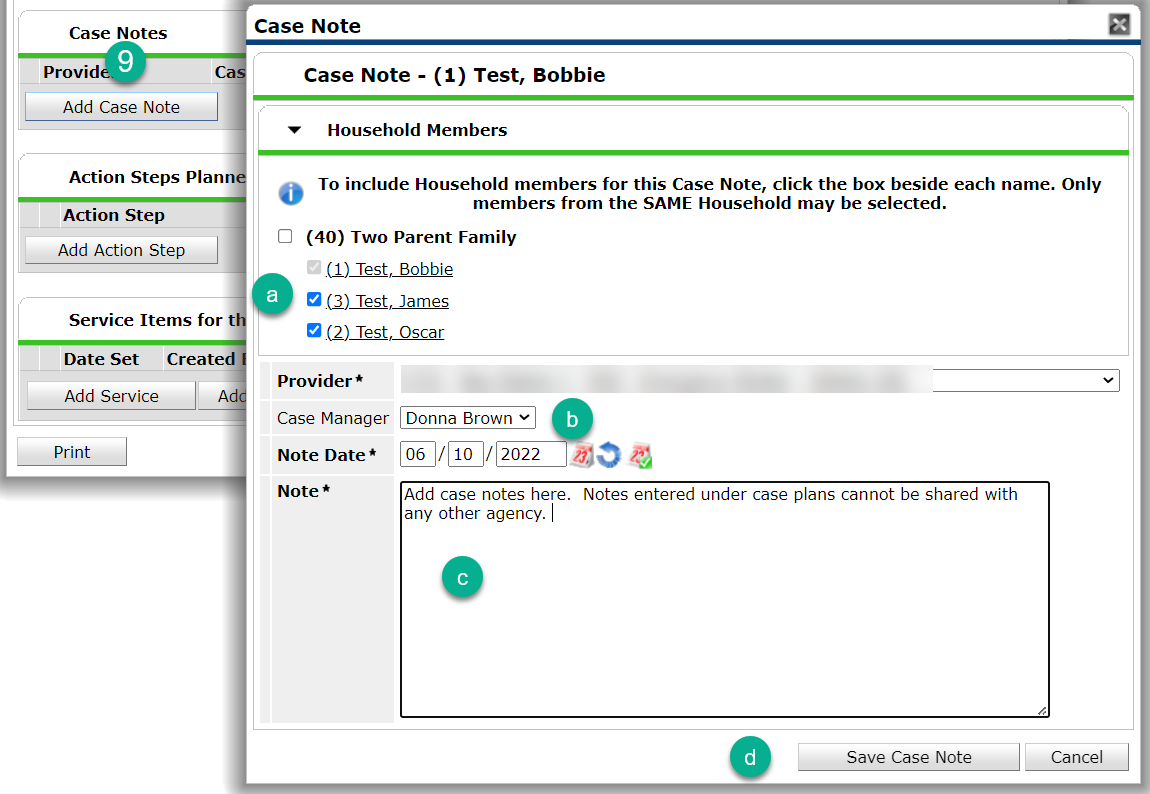
- Save & Exit
Recording Ongoing Case Notes
Reminder: Case Notes within Goals are not shared with other agencies.
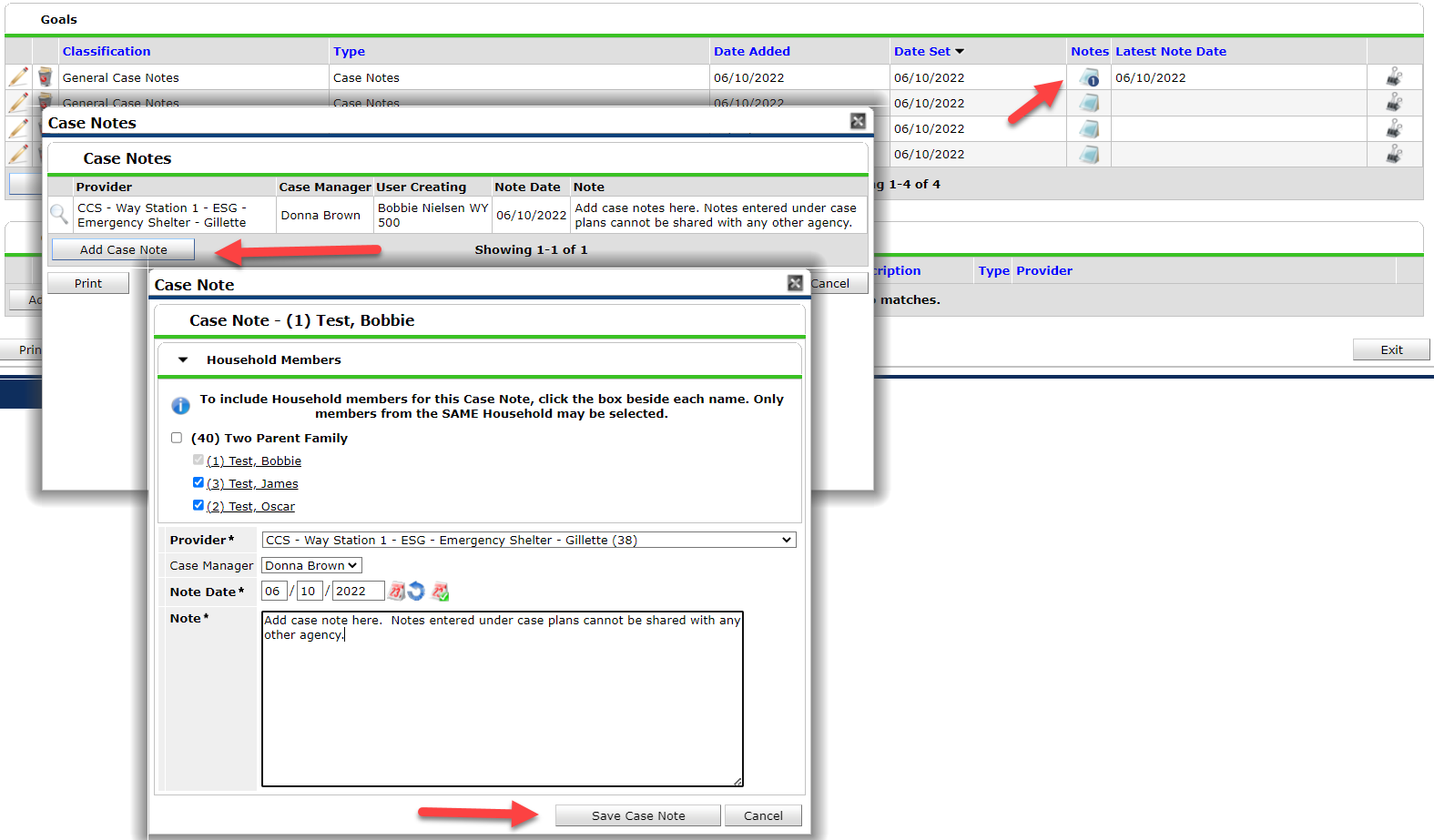
- Click on the Case Plans tab
- Click on the Notepad Icon on the same line as General Case Notes
- Click on the Add Case Note button
- If a household exists, select all family members which the case note will apply
- Type the case note
- Click the Save Case Note
-
Click the X at the top right corner to close the pop-up box