
8. Entering Data: Recording Services
This set of instructions has been put together to assist agencies in recording referrals in a manner that meets the requirement to record mainstream referrals in HMIS. SSVF, PATH and RHY providers are required to record Services.
Recording Services
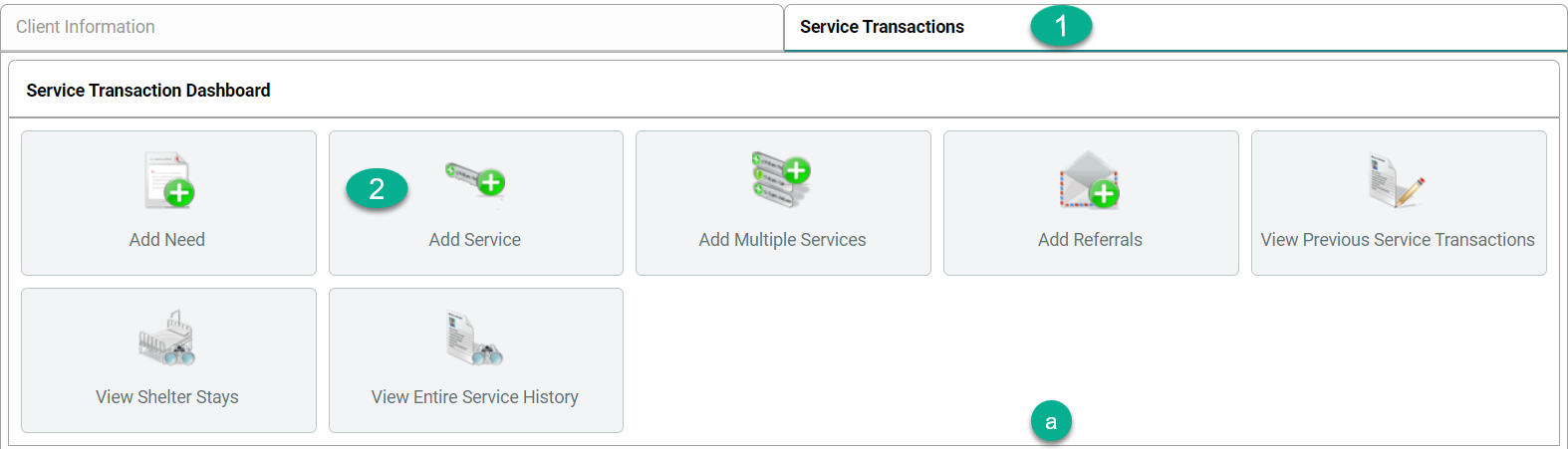
- From the Head of Household record click on the Service Transactions tab.
-
Click Add Service
- Click the box by each household members name to include them in the referral.
- In the Service Code Quicklist, highlight a need. Up to 5 Service Codes can be selected at a time.
- Between each selections click Add Terms.
- If the service provided is not in the Service Code Quicklist window, contact the WY Helpdesk to have a service added to the list.
- Between each selections click Add Terms.
-
Once all needs have been added click Add Terms & Go To Search Results
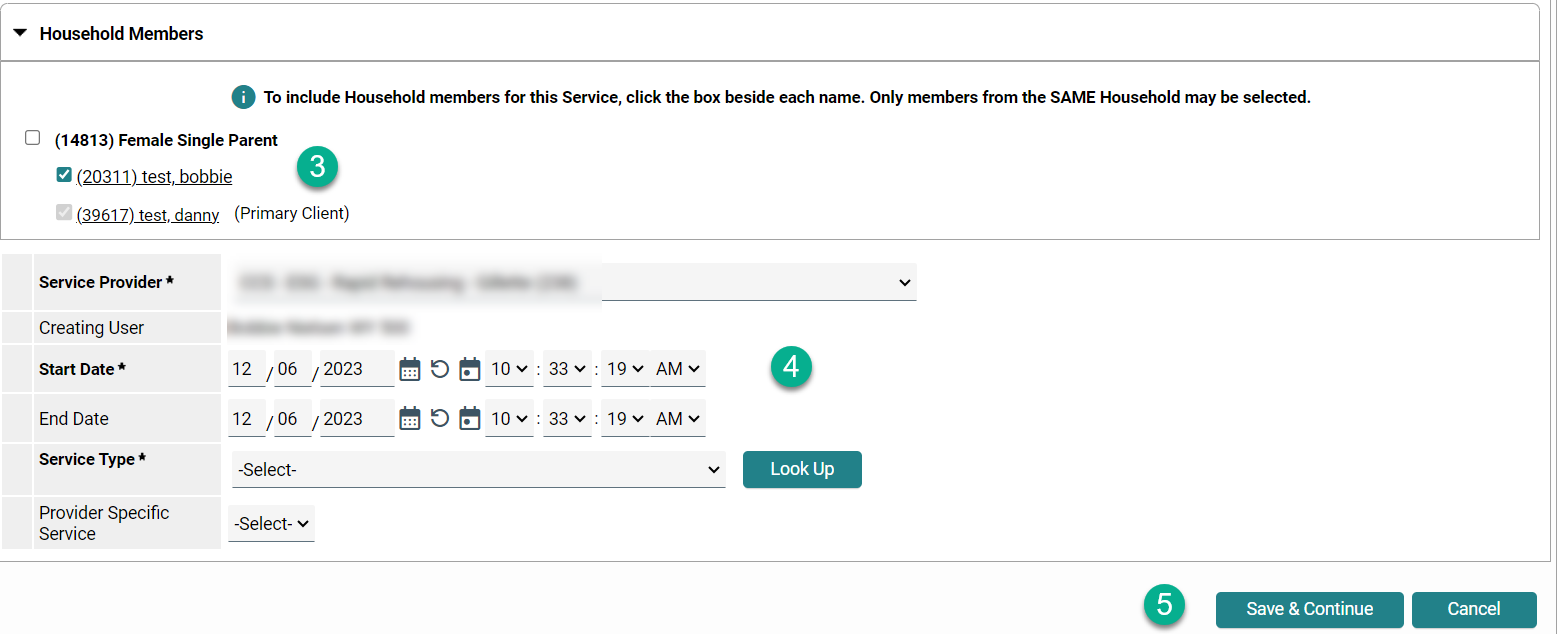
- Service Provider: will be the same as what was set as Enter Data As
- Start Date and End Date will automatically populate to the date set as Back Date
-
Service Type: select a service from the dropdown
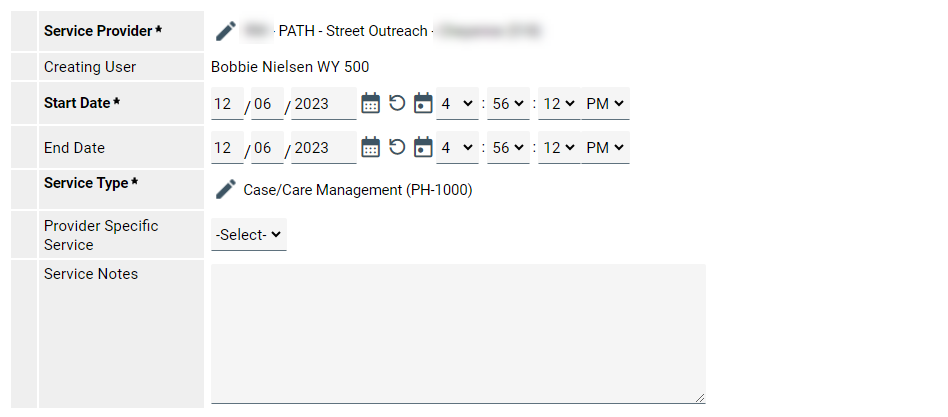
- Scroll to the bottom of the page
- For non financial services: Scroll to the bottom of the page
- Need Information: Closed
- Outcome of Need: Fully Met
-
Save & Continue

- For agencies who enter amounts for a financial Service:
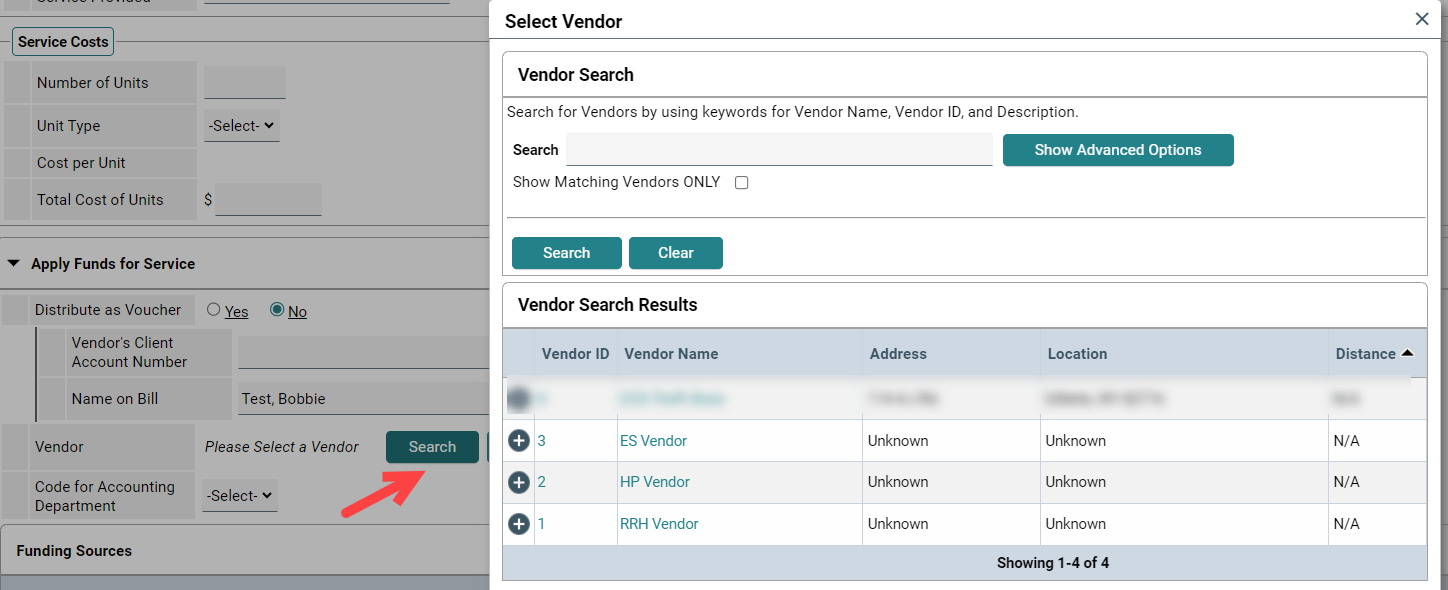
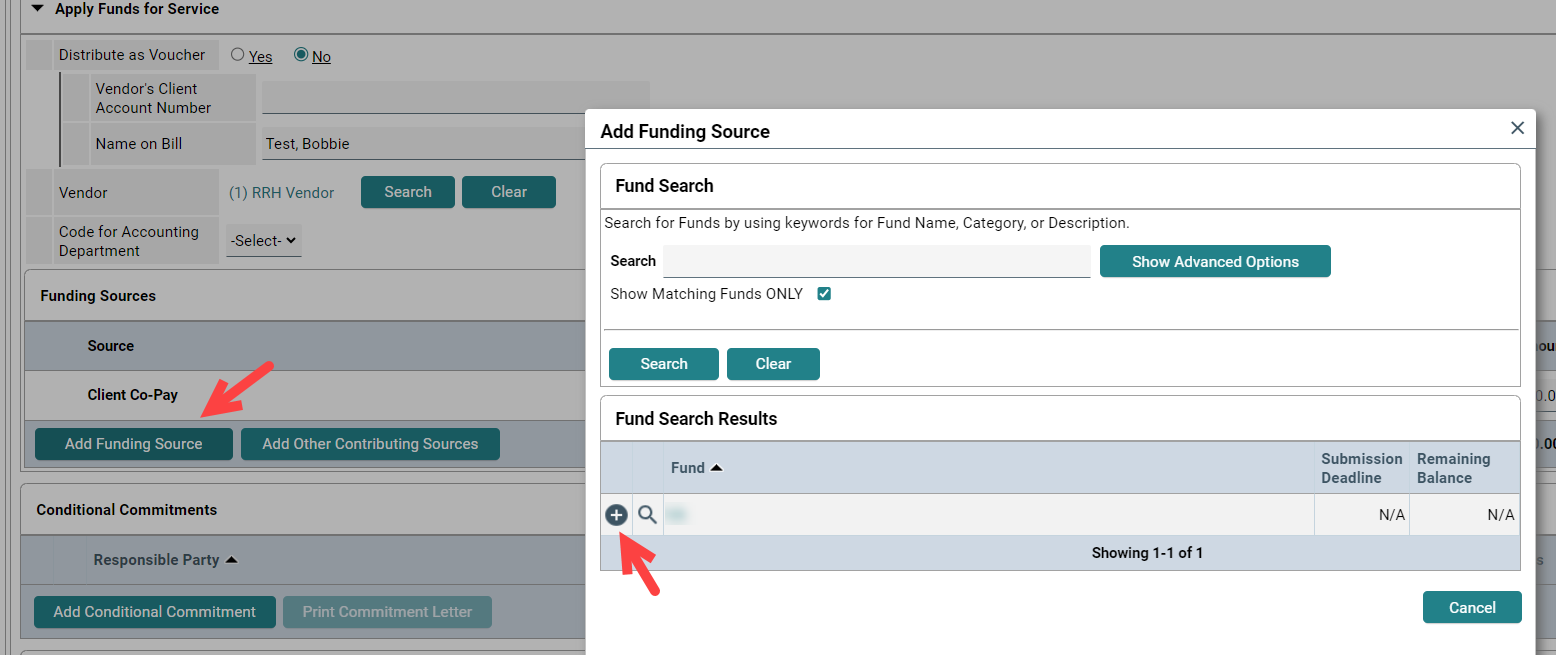
- Click the arrow by Apply Funds for Service
- Search
-
Click the + sign by the type of project is providing the service. ES = Emergency Shelter, HP = Homeless Prevention, RRH = Rapid Re-Housing
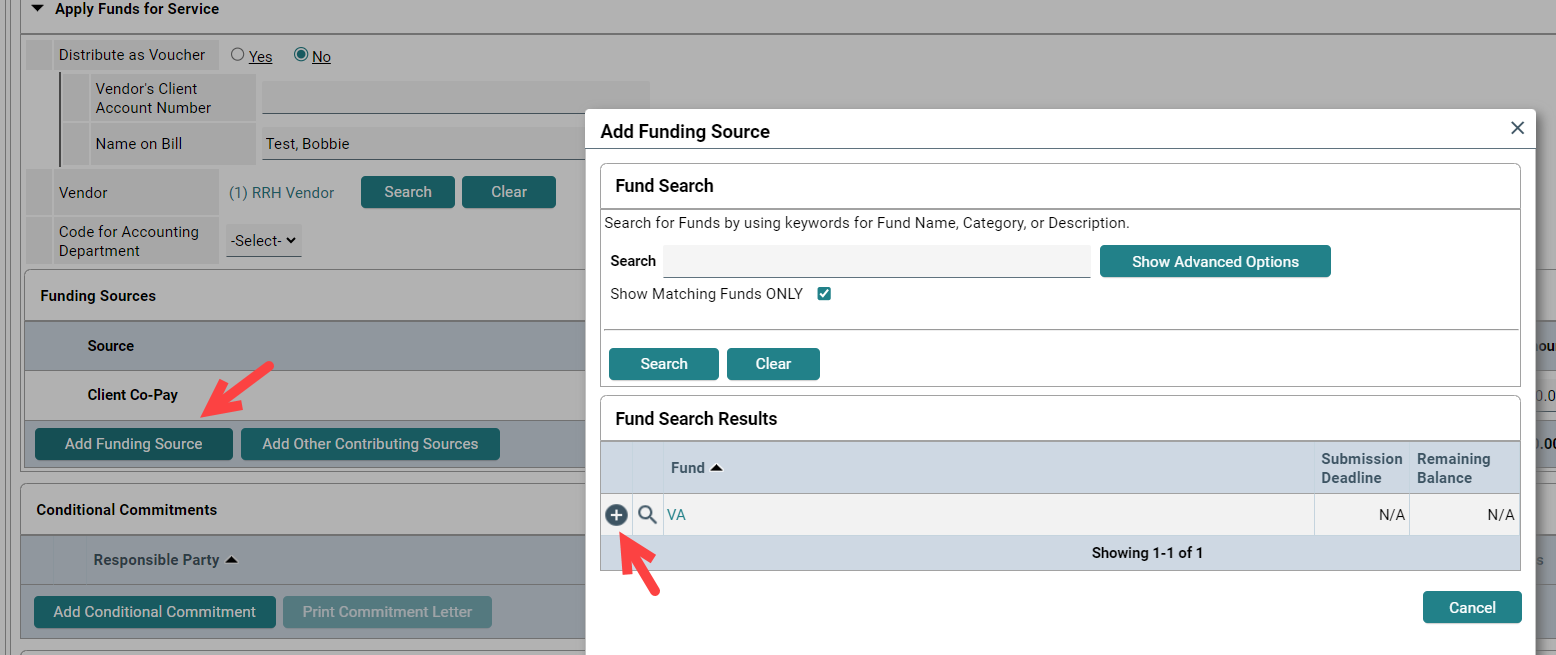
- Click Add Funding Source
-
A list of funding sources for your project will appear. Click the + sign by the funding source you need.
-
15. Enter amount of financial assistance. If the client is responsible for any portion, it can be documented here also.

16. Scroll to the bottom of the screen to Need Information.
a. Need Satus: Closed
b. Outcome of need
VA, PATH and RHY funders require the recording of Services
VA additional Service Steps:
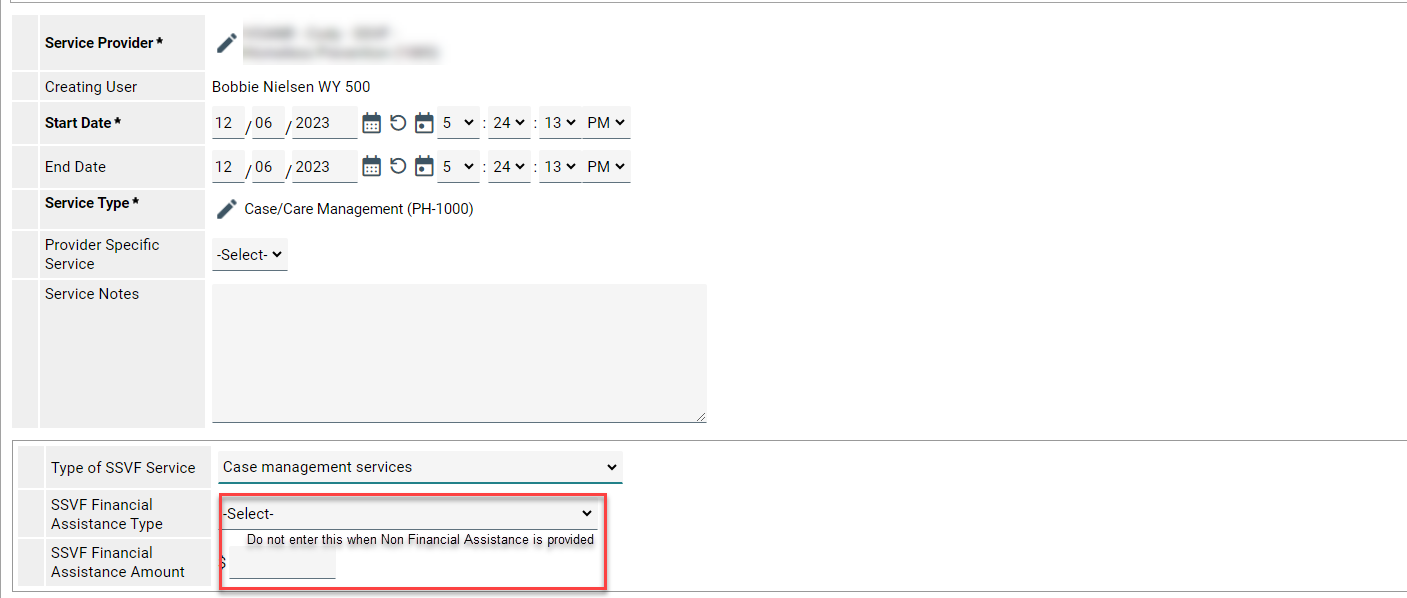
- Non financial Services:
- Type of SSVF Service
-
There must be a service selected from the specific dropdown.
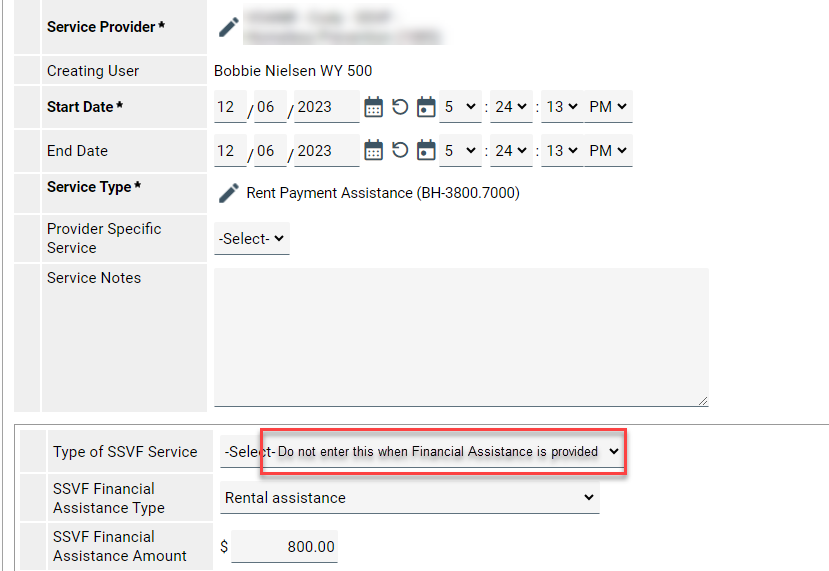
- Financial Services:
- SSVF Finanacial Assistance Type: select the type of assistance
- SSVF Financial Assistance Amount: enter the amount of assistance
-
There must be a service selected from the specific dropdown.
Apply Funds for Assistance:

PATH addtional Service Steps:
-
Type of PATH Funded Service Provided: there must be service selected from the specific dropdown.
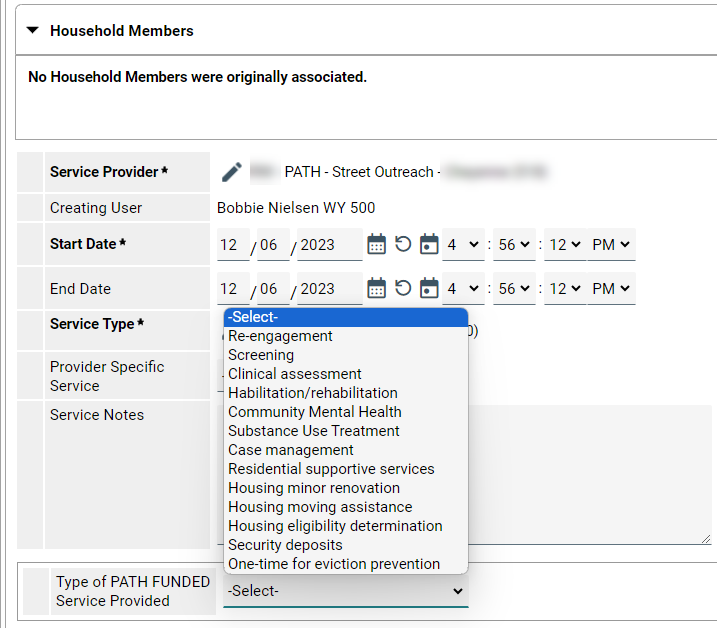
PATH providers must also record Referrals. See Referall Tip sheet
RHY additional Service Steps:
-
Type of RHY Service: a selection must be made from the specific dropdown
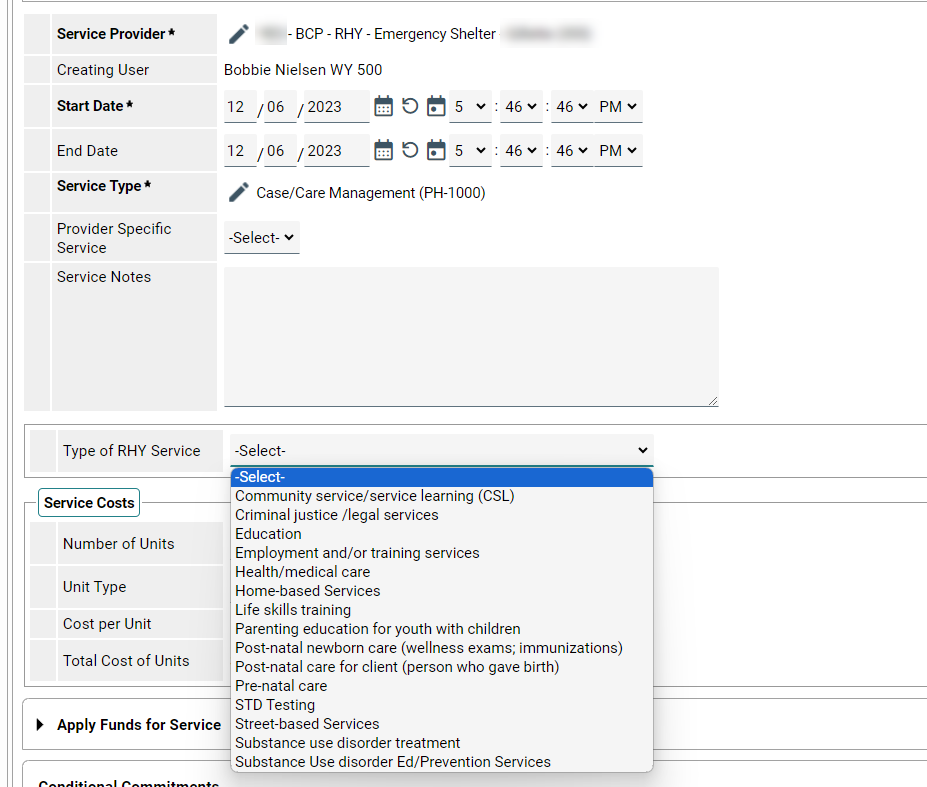
Data Entry Tip:
I can't find a service code that matches what I'm looking for. Can you add one?
- No, we cannot add service codes to ServicePoint. ServicePoint uses the AIRS Taxonomy to record all needs, services, and referrals. However, we are happy to assist you in looking through the over 9,000 available taxonomy terms to find something that is close to the service or referral you need to record, as well as looking into other ways to record the services you provide. If you'd like to learn more, please contact the helpdesk using the "Contact" button at the top of this page.
Where did the list of agencies and service codes come from?
- ICA developed a default list of providers and service codes based upon information gathered from discussions with staff for each agency.
Are the agencies I'm referring people to being notified about the referral?
- It depends. There are a lot of factors that go into determining whether or not the agency you make the referral to can see that you made a referral to them. For the agency you referred the individual to to be able to see the referral, they must participate in HMIS, and they must be able to "see" the information your project enters into the system - meaning that referrals made by protected agencies are not visible to other providers. In addition, they must turn on notifications about incoming referrals or check their incoming referrals report. If you'd like to learn more, please contact the helpdesk using the "Contact" button at the top of this page.