
15. Entering Data: Exit Workflow
Client Exit
IMPORTANT STEP! Select appropriate Enter Data As provider after first logging on!

Client Record
Entry/Exit
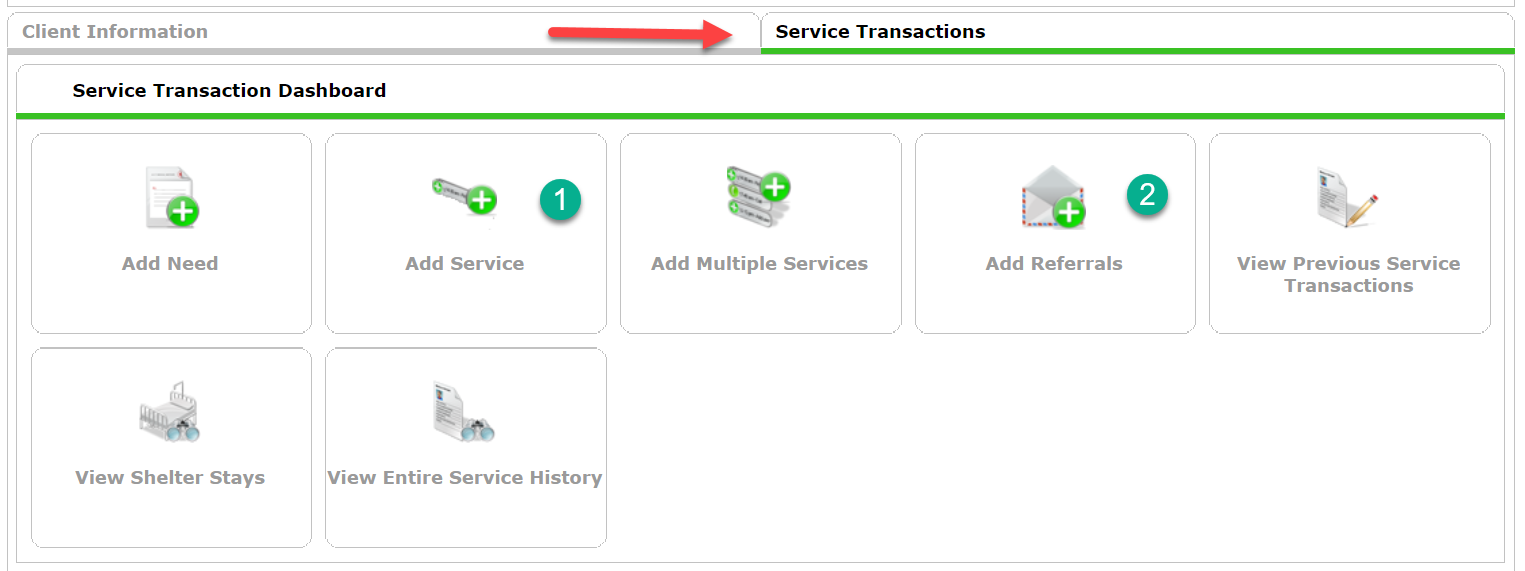
- Enter Services that were provided since the last update
- Enter Referrals that were given since the last update
- From the Entry/Exit tab click the pencil to the left of the Exit Date

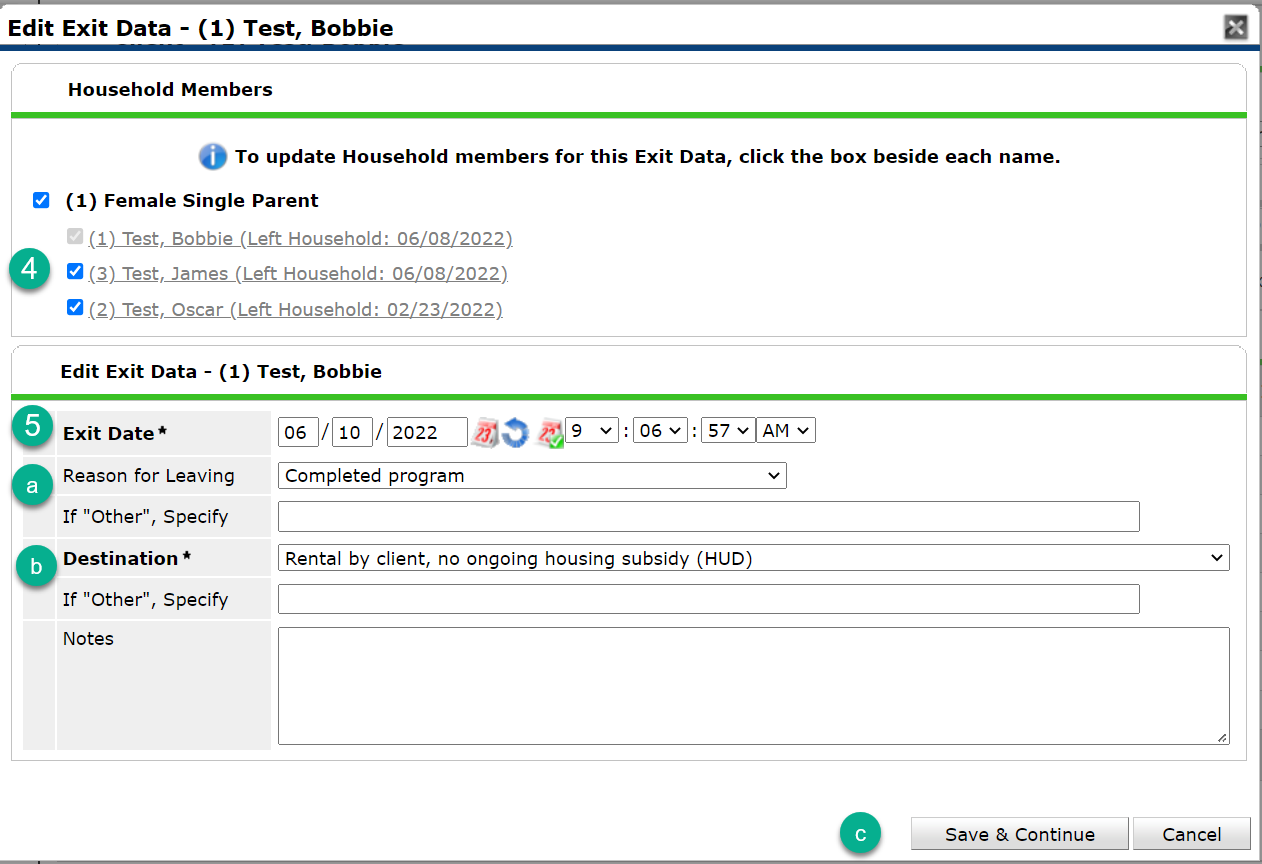
- Select all household members who are exiting.
- Confirm the Exit Date. The default date appearing will be whatever was selected during the Back Date Mode prompt. If not correct, type in the correct project exit date.
- Select Reason for Leaving
- Select Destination
- Click Save & Continue
 6. Update assessment information for all household members. 7. Click Save & Exit once all assessments for all household members have been completed.
